
Opened 13 years ago
Closed 13 years ago
#2738 closed enhancement (fixed)
Ruler Actvity draws off the screen
| Reported by: | erikos | Owned by: | garycmartin |
|---|---|---|---|
| Priority: | Low | Milestone: | Unspecified |
| Component: | ActivityTeam | Version: | Unspecified |
| Severity: | Unspecified | Keywords: | 11.2.0 |
| Cc: | walter | Distribution/OS: | Unspecified |
| Bug Status: | Unconfirmed |
Description
Version 7 used on an XO: the left side of the ruler is off the screen.
Attachments (3)
Change History (12)
comment:1 Changed 13 years ago by erikos
- Cc walter added
comment:2 Changed 13 years ago by erikos
- Keywords 11.2.0 added
comment:3 Changed 13 years ago by walter
comment:4 Changed 13 years ago by walter
- Resolution set to notabug
- Status changed from new to closed
Looks as expected.
comment:5 Changed 13 years ago by erikos
Ok, I did not know that it counts from the edge of the screen. Might be worth making this more visible (maybe a text), at least it was not clear to me.
comment:6 Changed 13 years ago by walter
- Resolution notabug deleted
- Status changed from closed to reopened
- Type changed from defect to enhancement
Maybe something like the following text printed below the ruler:
_('Use this ruler from the outside edge of display.')
comment:7 Changed 13 years ago by godiard
- Priority changed from Unspecified by Maintainer to Low
Changed 13 years ago by walter
add message explaining that ruler runs from outer edge of the display
comment:8 Changed 13 years ago by walter
The attached patch adds the text as per the suggestion above.
comment:9 Changed 13 years ago by walter
- Resolution set to fixed
- Status changed from reopened to closed
v8 has the explanatory message.
Note: See
TracTickets for help on using
tickets.


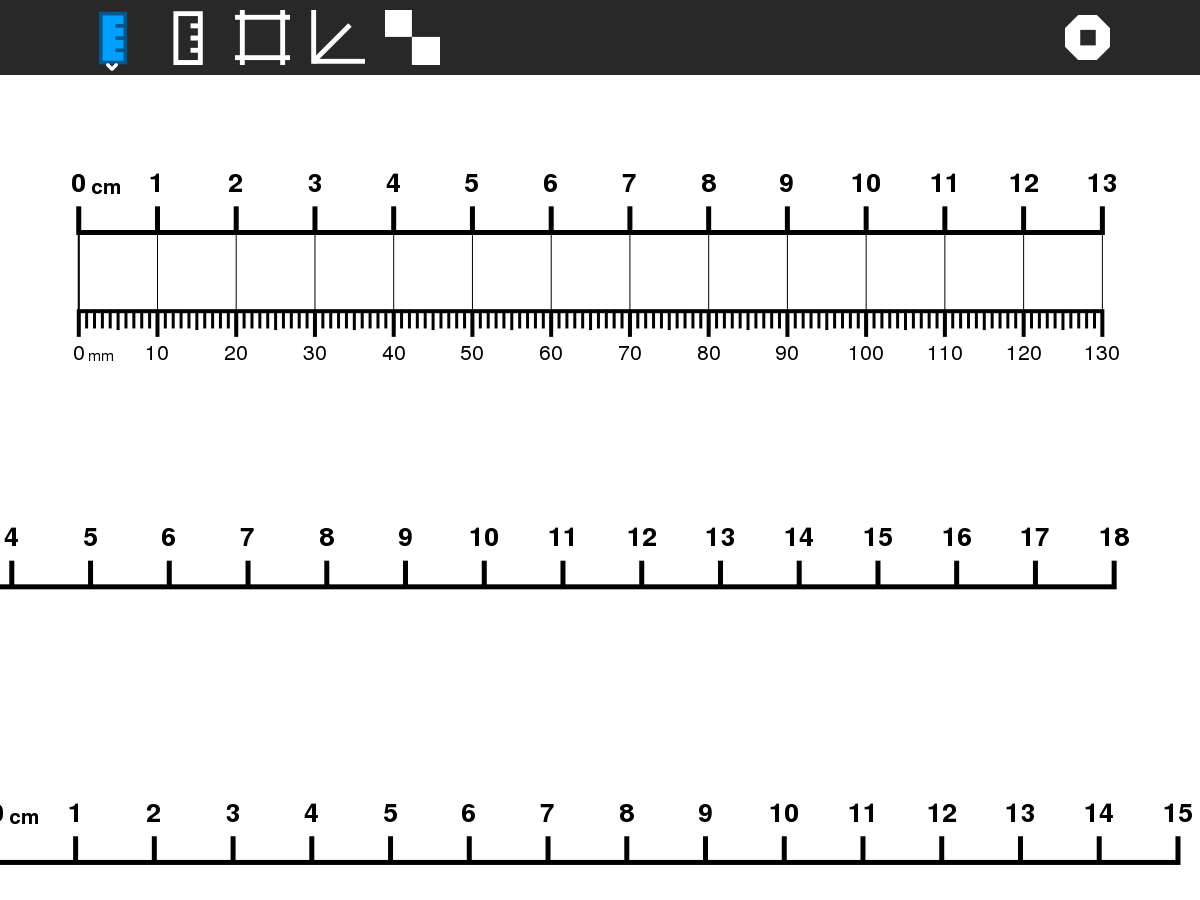

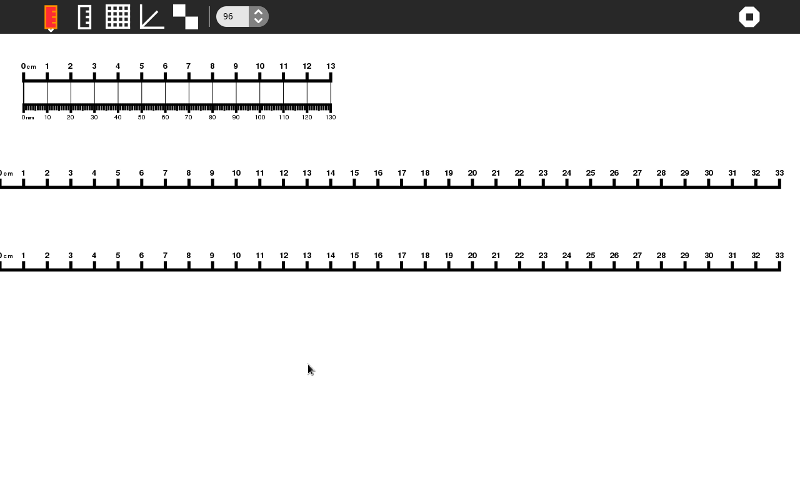
I tested it and could not reproduce. Could you please attach a screenshot? Note that Ruler on the XO shows three scales, one of which is calibrated from the edge of the laptop, not the edge of the screen; perhaps that is what you are referring to?