
#189 closed defect (duplicate)
Scroll bar does not appear in middle of screen
| Reported by: | jgleason | Owned by: | erikos |
|---|---|---|---|
| Priority: | High | Milestone: | |
| Component: | Browse | Version: | 0.83.x |
| Severity: | Critical | Keywords: | |
| Cc: | Distribution/OS: | Unspecified | |
| Bug Status: | Resolved |
Description
I am working with teachers in NYC who wish to use the XO for online assessments. One of the sites we work with is Acuity, but McGraw Hill.
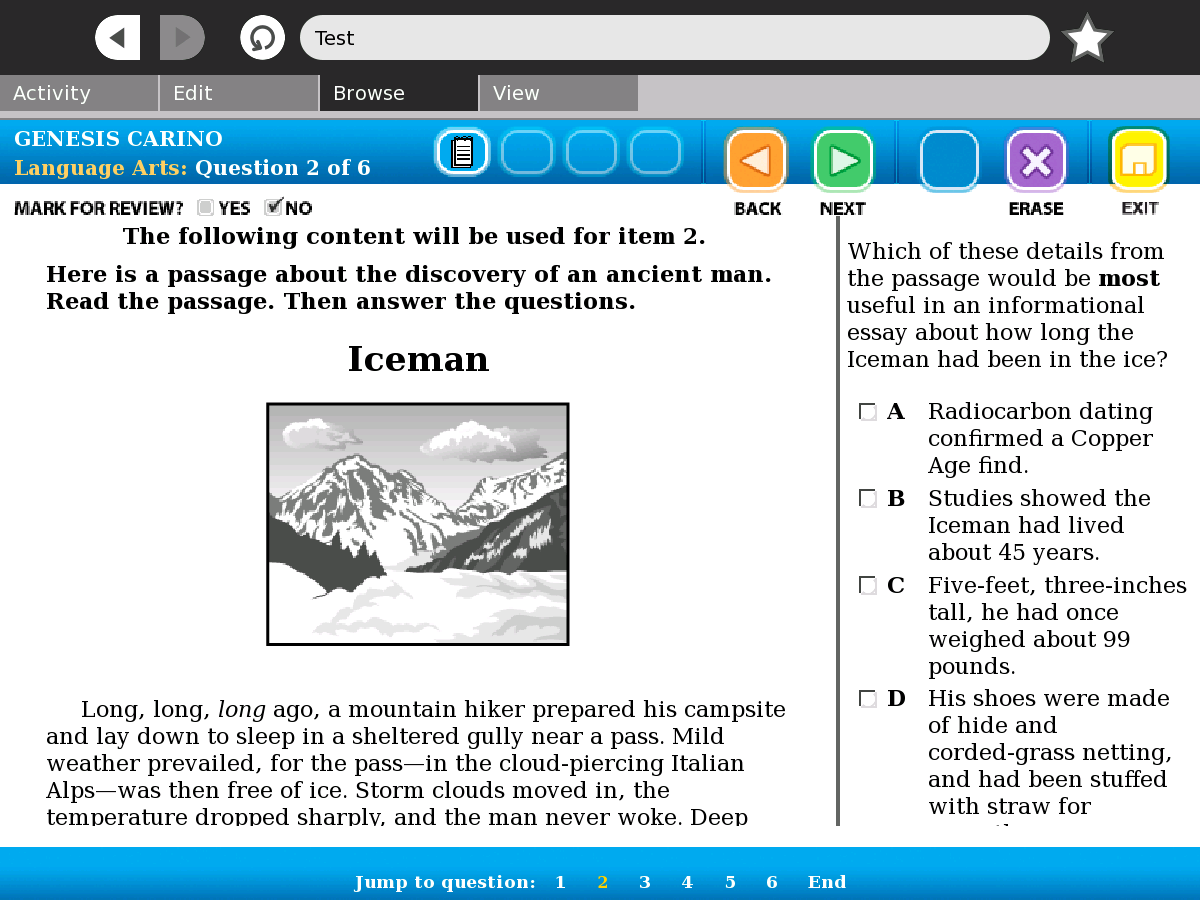
There is a problem with the scroll bar in the middle of the screen that prevents students from being able to use the site. Each question in the assessment has a reading passage on the left hand side, and a question on the right hand side, with a scrollbar in the middle of the screen. In browse, the scrollbar does not appear. See attached screenshot. Is this something that could be fixed within browse, or is it the acuity website that has a bug? please advise.
Attachments (1)
Change History (6)
Changed 15 years ago by jgleason
comment:1 Changed 15 years ago by tomeu
- Bug Status set to Unconfimed
- Distribution/OS set to Unspecified
- Milestone set to 0.84
- Priority changed from normal to High
- Severity set to Critical
- Version changed from Unspecified to 0.83.x
comment:2 Changed 15 years ago by erikos
- Bug Status changed from Unconfimed to Needinfo
comment:3 Changed 15 years ago by erikos
Might be a duplicate of #119 as well. Please verify if the scrollbar does appear when zooming in.
comment:4 Changed 15 years ago by erikos
- Bug Status changed from Needinfo to Resolved
- Resolution set to duplicate
- Status changed from new to closed
Thanks for the bug report. This particular bug has already been reported into our bug tracking system (#119), but please feel free to report any further bugs you find.


Is this page accessible or is it local - do you have an url? Does the same error happens with Firefox for example?